

Choosing the right stand for MacBook Air can help improve ergonomics, optimize desk organization, and create a more productive working environment. However, with different designs, materials, and functions available on the market, how can you find the best option for your needs?
This complete buying guide will explain the key factors to consider when selecting an ideal MacBook Air laptop stand.
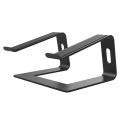
Why Do You Need a Stand for MacBook Air?
A laptop stand is more than just a simple desk accessory. It helps raise the screen to a more natural eye level, allowing users to maintain a better sitting posture during long working hours.
For people who spend most of the day using a laptop, an ergonomic laptop stand can provide several benefits:
- Reduce neck and shoulder pressure caused by looking downward
- Improve viewing comfort during work or study
- Create additional desk space for accessories
- Improve airflow around the laptop
- Build a cleaner and more professional workspace
Whether you are working from home, managing business tasks, attending online meetings, or creating digital content, a suitable laptop stand for MacBook Air can significantly improve your daily experience.
1. Consider the Material Quality
Material is one of the most important factors when choosing a MacBook Air stand. A high-quality stand should provide strong support while maintaining a lightweight structure.
An aluminum laptop stand is one of the most popular choices because it combines durability, stability, and modern design. Aluminum alloy construction offers excellent strength while matching the premium appearance of Apple devices.
Compared with plastic stands, aluminum models usually provide:
- Better load-bearing capacity
- Improved durability
- More stable support
- Better heat dissipation performance
- A premium and minimalist appearance
For users who want a long-lasting desk accessory, an aluminum MacBook stand is a practical choice.
2. Choose the Right Ergonomic Design
Comfort is the main reason many users purchase a MacBook Air stand. A well-designed stand should position the screen closer to eye level, helping reduce unnecessary strain during extended use.
An adjustable MacBook Air stand allows users to customize the height and viewing angle according to different working habits. This flexibility is especially useful for:
- Office workers
- Designers
- Programmers
- Students
- Remote employees
A proper ergonomic design helps create a healthier and more comfortable workspace.
3. Check Stability and Support
A good laptop stand should keep your MacBook Air stable during daily use. A weak or poorly designed stand may shake while typing, affecting the overall user experience.
When choosing a stand, consider:
- Strong base structure
- Anti-slip silicone pads
- Secure laptop support
- Suitable weight capacity
A stable MacBook desk stand ensures that your device remains safe while providing a comfortable working position.
4. Think About Portability and Storage
For users who frequently work in different locations, portability is another important consideration.
A foldable laptop stand is ideal for business trips, cafes, coworking spaces, and flexible work environments. Lightweight designs are easy to carry in a backpack while still providing reliable support.
A portable MacBook Air stand allows professionals to create a comfortable workspace wherever they go.
5. Consider Heat Dissipation Performance
Although MacBook Air is designed for efficient performance, proper airflow around the device can still help maintain a comfortable operating environment.
Many premium laptop stands feature an open structure that allows air circulation underneath the laptop. This design helps reduce heat accumulation and keeps the workspace more comfortable.
An aluminum stand can also assist with passive heat transfer due to the thermal properties of the material.
MacBook Air Stand Applications
A quality MacBook Air stand can be used in many different environments:
Home Office Setup
Remote workers can create an ergonomic workstation by combining a laptop stand with an external keyboard and mouse.
Professional Office
Businesses can improve employee comfort and create cleaner desktop arrangements.
Education
Students can enjoy a better viewing angle during online classes, research, and assignments.
Creative Work
Designers, photographers, and content creators benefit from improved screen positioning during creative projects.
Travel Workspaces
Portable stands provide convenience for professionals who need to work while traveling.
FAQ About Choosing a MacBook Air Stand
Q1: Can any laptop stand be used for MacBook Air?
Most laptop stands can support MacBook Air, but choosing a model specifically designed for lightweight laptops provides better stability and compatibility.
Q2: Is an aluminum MacBook Air stand better than a plastic one?
Yes. Aluminum stands generally offer better durability, stability, and a more premium appearance compared with plastic alternatives.
Q3: Does a MacBook Air stand improve posture?
Yes. By raising the screen height, a stand helps users maintain a more natural viewing position and reduces unnecessary neck strain.
Q4: Should I choose a fixed or adjustable laptop stand?
A fixed stand is suitable for users with a permanent desk setup, while an adjustable stand provides more flexibility for different working environments.
Create a Better Workspace with the Right MacBook Air Stand
Choosing the right MacBook Air Stand is an investment in comfort, productivity, and workspace organization. From aluminum construction and ergonomic adjustment to portability and heat management, every feature plays an important role in improving the user experience.
Whether you are setting up a home office, upgrading a professional workspace, or creating a portable workstation, the right stand for MacBook Air can help you work more comfortably and efficiently every day.